CENSOR AUDIO ONLINE FREE
AI Transcript Review. You Pick the Bleep Sound.
Upload any audio file, get an automatic transcript, select words to censor, and download your bleeped audio. Perfect for podcasts, interviews, and voiceovers.
On a phone? Use Studio for cloud transcription instead of asking your mobile browser to run the AI model locally.
WHAT YOU GET:
- ✓ AI-powered transcription with word-level timestamps
- ✓ Built-in bleep sounds: classic beep, brown noise, dolphin, T-Rex, silence
- ✓ MP3 + audio from video files (MP4, MOV, AVI, WebM)
- ✓ Private browser mode for capable desktop browsers
- ✓ Studio cloud processing for phones and longer files
- ✓ Free browser mode for files up to 10 minutes
Audio censoring is the process of automatically detecting and replacing specific spoken words in an audio recording with bleep sounds, silence, or alternative audio effects. Bleep That Sh*t! uses OpenAI's Whisper speech recognition model to generate word-level timestamps, then replaces selected words with built-in bleep sounds or silence. Browser mode handles short local files with WebAssembly; Studio cloud is available for longer recordings.
BROWSER DEMO VS STUDIO
Browser Demo
- Best for quick clips and short files.
- No account required.
- Files stay on your device in browser mode.
Studio
- 3 free cloud hours on signup.
- Longer files, saved projects, and re-exports.
- Cloud processing uploads files for faster transcription.
HOW TO CENSOR AUDIO IN 4 STEPS
UPLOAD YOUR AUDIO
Choose any MP3 file or audio from MP4, MOV, AVI, or WebM video. Browser mode keeps your file on your device; Studio cloud is available for longer recordings.
AI CREATES A TRANSCRIPT
Whisper transcription creates word-level timestamps for review. Apply profanity lists or select words manually using exact, partial, or fuzzy matching.
CHOOSE YOUR BLEEP
Pick a built-in sound: classic TV bleep, brown noise, dolphin chirps, T-Rex roar, or silence. Adjust volume and buffer timing.
DOWNLOAD CENSORED AUDIO
Preview your censored audio, then download a clean export for podcast, social, classroom, or internal review workflows.
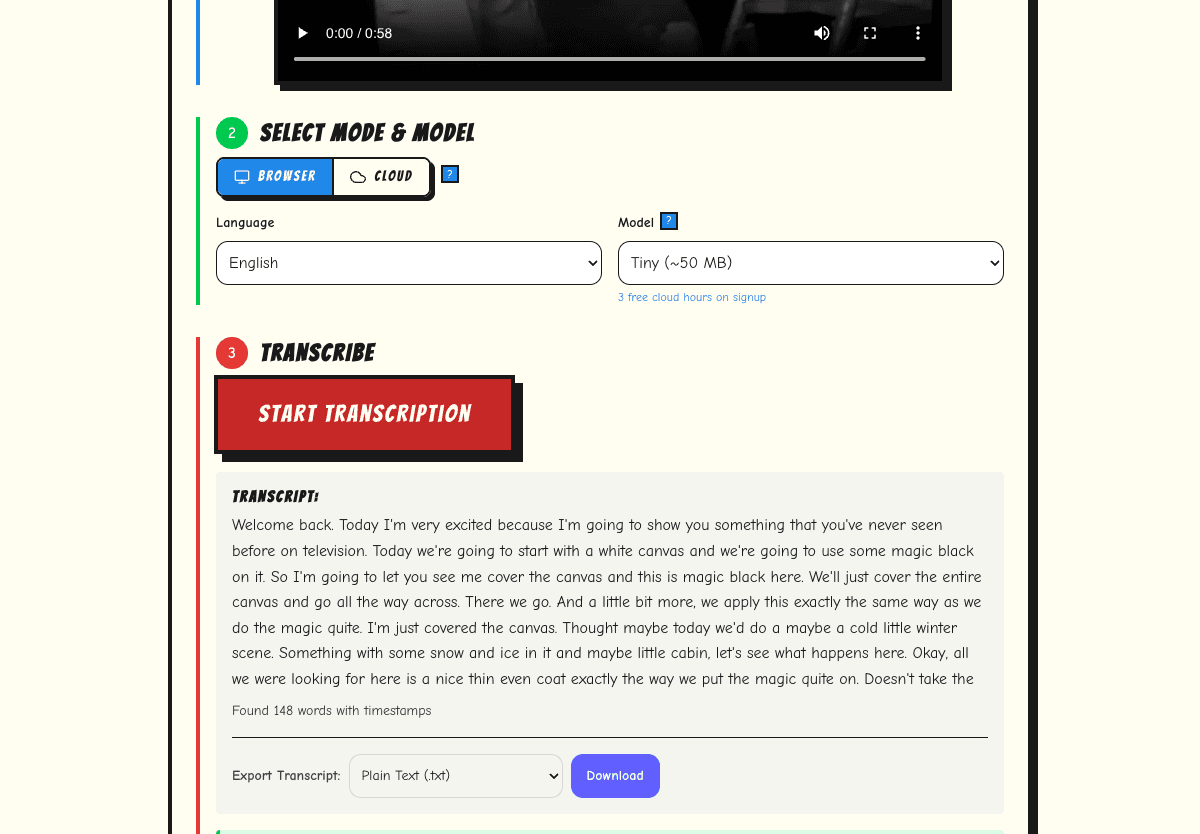
AI TRANSCRIPTION
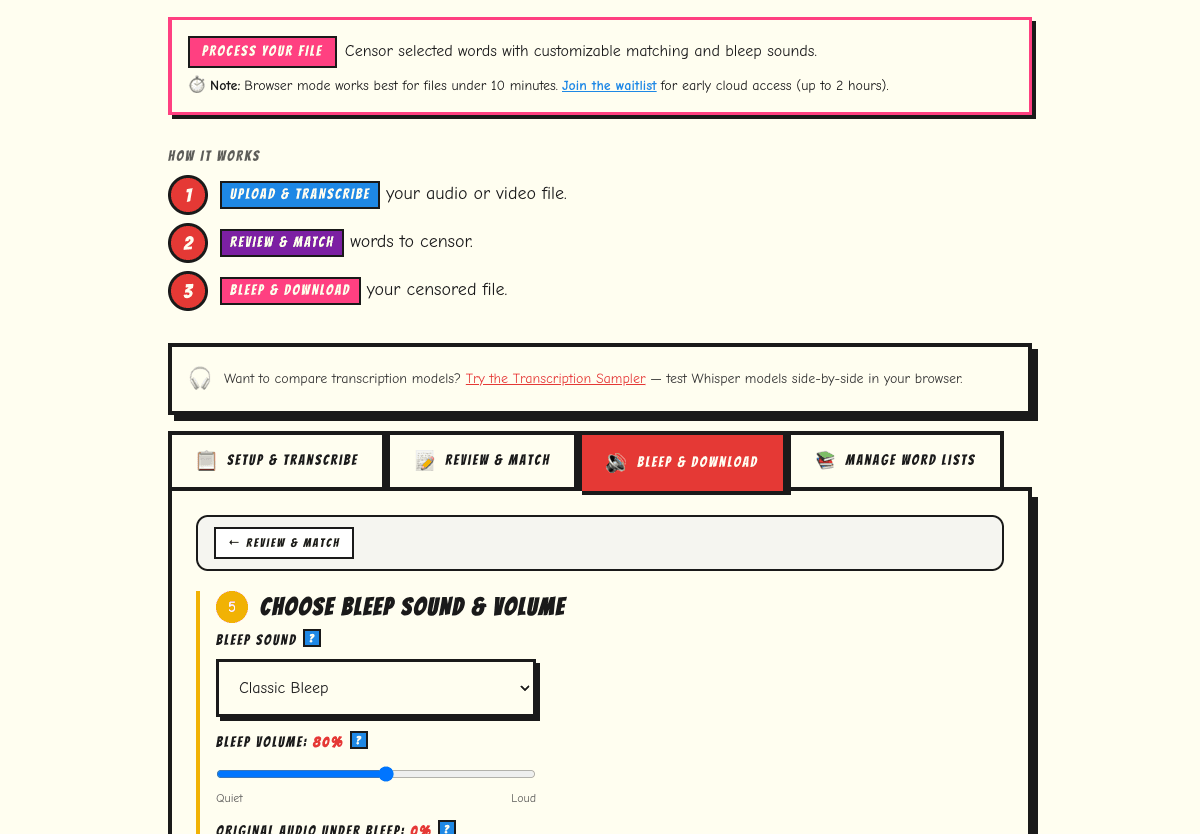
BLEEP SOUND SETTINGS
HOW DOES IT COMPARE?
| Feature | Bleep That Sh*t! | Audacity | GarageBand |
|---|---|---|---|
| Transcript-assisted word review | Yes | No | No |
| Censoring workflow | Transcript review + built-in sounds | Manual timeline edits | Manual timeline edits |
| Cost | Free (up to 10 min) | Free | Free (Mac only) |
| Privacy | Browser mode for short local files; Studio cloud for longer files | Local | Local |
| Learning curve | None | Moderate | Moderate |
| Dedicated censor feature | Yes | No | No |
| Works on Chromebook | Yes | No | No |
WHO USES THIS?
Podcasters
Create clean versions of episodes for ad-friendly distribution. Process guest interviews without re-recording.
Teachers & Educators
Censor audiobooks, radio clips, and interview recordings for classroom use. Browser mode keeps short local files on-device.
YouTube Creators
Bleep profanity in voiceovers and commentary before upload to prepare cleaner creator edits.
Corporate Teams
Clean up meeting recordings, conference calls, and training audio for professional distribution.
PRIVATE BROWSER MODE FOR SHORT AUDIO
Browser mode processes short local files on your device with WebAssembly and Web Workers. For longer files or phone uploads, Studio cloud processing is available and clearly framed as upload-based.
GOOD TO KNOW
- File size: Browser processing works best for files under 10 minutes. For longer recordings, use our cloud processing option (supports up to 2 hours, max 1 GB).
- Speech only: Whisper AI transcribes spoken words. It cannot detect or censor words within singing, music, or non-speech audio.
- Accuracy: Works best with clear speech and minimal background noise. Heavy accents or overlapping speakers may reduce accuracy.
- Browser support: Requires a modern browser with WebAssembly support (Chrome 80+, Firefox 78+, Safari 15+, Edge 80+).
FREQUENTLY ASKED QUESTIONS
Can I censor audio online for free?
Yes — Bleep That Sh*t! lets you censor audio files up to 10 minutes entirely free in your browser. No account needed.
What audio formats are supported?
MP3, WAV, and audio extracted from MP4, MOV, AVI, and WebM video files. The tool exports censored audio as part of the original file format.
Can I censor a podcast episode?
Yes. Upload your podcast recording (MP3 or supported media), review the AI transcript, select words to bleep, and download the censored version. Processing time depends on file length, browser capability, and whether you use Studio cloud processing.
Is my audio private?
Short browser-mode files can be processed locally on your device with WebAssembly. For longer files or phone uploads, Studio cloud processing clearly indicates when upload-based processing is used.
How accurate is the transcription?
Whisper AI works best with clear speech and minimal background noise. Accuracy varies with accents, overlapping speakers, and audio quality. You can always manually adjust the transcript.
Can I create a clean version of a song or interview?
You can bleep spoken words detected by the AI transcription. The tool works best with speech — it cannot isolate or censor words within singing or music.
What bleep sounds are available?
Classic TV bleep, brown noise, dolphin chirps, T-Rex roar, and silence are available in the censor workflow. You can adjust bleep volume and buffer timing before export.
Does this work for long podcast episodes?
The free browser tool handles files up to 10 minutes. For longer episodes, use our cloud processing tier which supports files up to 2 hours, max 1 GB.
CENSOR VIDEO
Full video censoring with AI
SWEAR WORD REMOVER
AI swear word remover for any file
AI PROFANITY FILTER
How automatic AI censoring works
PODCAST CLEAN VERSION
Task-specific local scan, review, and clean export
FOR EDUCATORS
FERPA-safe censoring for classrooms
TRY THE SAMPLER
Compare transcription models
Files up to 10 minutes processed free. Premium plans for longer recordings.
Last updated March 2026