AI Profanity Filter: How Automatic Audio & Video Censoring Works

Looking for an AI profanity filter that actually works? Most "AI censor" tools are just simple word lists that miss context, slang, and audio variations. Here's how modern AI-powered censoring uses speech recognition to find likely swear words, line them up with timestamps, and keep a human review step before export.
How AI Profanity Filtering Works
Traditional profanity filters match text against a word list. That works for chat messages, but audio and video need something smarter: speech-to-text AI that understands spoken language.
Step 1: AI Transcription with Whisper
Bleep That Sh*t uses Whisper, an open-source speech recognition model trained on 680,000 hours of audio. It generates a complete transcript with word-level timestamps — meaning it knows exactly when each word starts and ends in your audio.
This matters because bleeping isn't just about finding words — it's about knowing their precise location in the audio so the bleep sound lines up perfectly.
Step 2: Automatic Word Matching
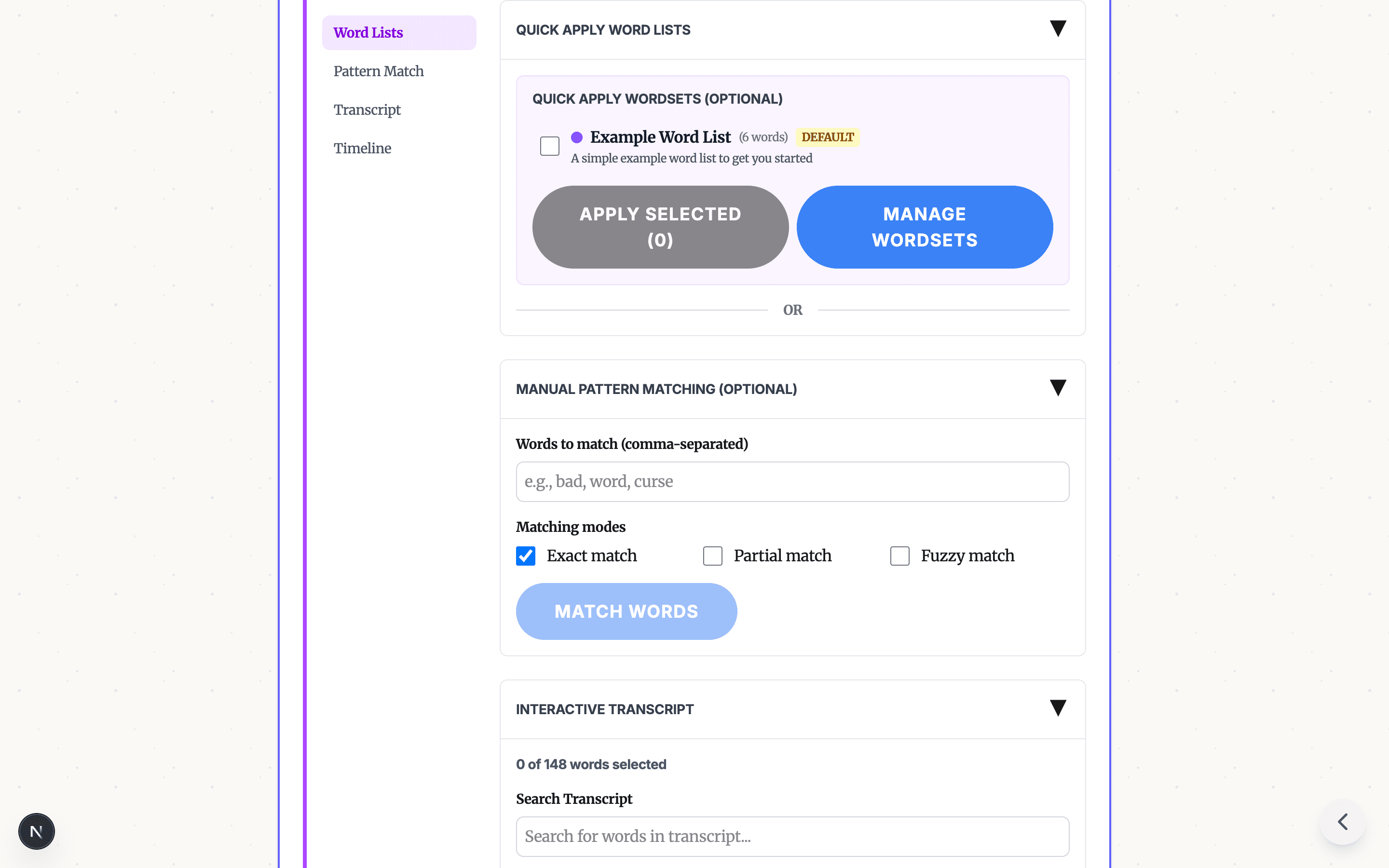
Once you have a transcript, the tool offers four ways to select words for censoring:
- Exact match: Catches the specific word (e.g., "damn" won't match "damned")
- Partial match: Catches variations (e.g., "damn" also matches "damned", "damnit")
- Fuzzy match: Catches similar-sounding words and common misspellings
- Manual selection: Click any word in the transcript to toggle censoring
You can also apply pre-built profanity word lists or create your own custom lists for specific use cases (grade-level appropriate, industry-specific, etc.).
Step 3: Bleep Processing
Selected words get replaced with your choice of bleep sound:
- Classic TV bleep tone
- Brown noise (natural-sounding)
- Dolphin chirps
- T-Rex roar
- Silence (muted sections)
The tool adjusts bleep timing with configurable buffer settings so transitions sound natural, not choppy.
Why Browser-Based AI Censoring Matters
Most AI profanity filters require uploading your audio to a cloud server. That creates privacy concerns — especially for educators handling student content or businesses with confidential recordings.
Bleep That Sh*t runs the entire AI pipeline in your browser:
- Whisper AI can run locally in browser mode via WebAssembly for short desktop files
- Bleep processing happens client-side in browser mode — no server round-trips for those files
- Studio is available for longer files and phones — the workflow clearly indicates when upload-based processing is used
This is possible because modern browsers can run machine learning models using WebAssembly and Web Workers, keeping the main UI responsive while heavy computation happens in the background.
When to Use an AI Profanity Filter
- YouTube creators: Auto-censor before upload to protect monetization
- Teachers: Make documentaries and clips classroom-appropriate
- Podcasters: Create clean versions of episodes for different platforms
- Corporate teams: Clean up meeting recordings for distribution
Try It Free
Bleep Studio processes audio and video with cloud transcription. Upload, auto-transcribe, review the detected words, select what to censor, and download your censored file.
No software to install. Start censoring in Studio →
Frequently Asked Questions
How accurate is AI profanity detection? Whisper AI produces strong transcripts on clear speech. Combined with pattern matching, it flags likely profanity for review, and you can manually select any missed words.
Can I customize which words get censored? Yes — create custom word lists, use built-in profanity lists, or mix both. Four matching modes: exact, partial, fuzzy, and manual selection.
Does this work in real-time? The tool processes uploaded files, not live streams. A 5-minute video typically takes 2-3 minutes to transcribe and censor.
READY TO TRY THE AI PROFANITY FILTER?
Open the focused guide for automatic profanity detection, review the workflow, then start with your own audio or video.
VIEW AI PROFANITY FILTERRelated Articles
Profanity Filter List for Audio, Video, and Text
A practical profanity filter list strategy for creators: what to detect, what to review manually, and how AI tools help bleep audio or video without over-censoring.
YouTube Demonetization: How to Fix Profanity Before Upload
A practical guide to reducing YouTube demonetization risk from profanity: review the opening, titles and thumbnails, bleep risky words, export a clean version, and keep your original edit intact.
How to Censor Videos for TikTok & Instagram (Free, No App Needed)
Bleep profanity from your TikTok, Instagram Reels, and short-form videos before uploading. Free browser tool — works on any device.