How Professional Podcast Editors Add Auto-Bleep to Their Workflow
Professional podcast editing is already a stack of small deadline risks. You are balancing messy source audio, sponsor reads, client notes, loudness targets, episode art, show notes, and delivery windows. Profanity cleanup is rarely the most creative part of the job, but it can still eat the calendar.
Manual bleeping often costs 10 to 30 minutes per episode when the source audio is clean. If the guest talks fast, speakers overlap, or the client wants a strict clean version, that task can stretch longer. At 10 episodes per week, even a conservative 15 minutes per episode becomes 10 hours per month. At 30 minutes per episode, it becomes 20 hours per month. For an editor billing by the episode or working inside a network, that is a lot of skilled production time spent hunting for individual words.
An auto bleep podcast workflow turns that job into a review step instead of a manual search step. The goal is simple: keep your preferred editing app as the center of the project, use Bleep That Sh*t for fast word-level censoring, then bring the cleaned file back into your normal podcast post production flow.
The Drop-In Workflow
You do not need to rebuild your editing process around a new tool. For most editors, the cleanest flow is:
- Finish your main dialogue edit in your editing app or DAW
- Export a working mix of the episode, segment, or client-requested clean version
- Open the focused Podcast Profanity Remover in a browser tab
- Upload the exported file and let the transcript generate
- Apply a profanity list, then review the matched words
- Choose the bleep sound, silence, or replacement style
- Download the cleaned file
- Re-import the cleaned file into your session or delivery folder
That keeps the podcast bleeping tool in the right role. Your editing app still handles assembly, music, mix decisions, loudness, ads, exports, and client revisions. Bleep That Sh*t handles the narrow, repetitive task of finding words and placing the censor audio at the right timestamps.
For short files, browser processing is useful when you want the audio to stay on your machine. For longer client episodes, Studio cloud processing is built for full-length files and mobile handoffs. Either way, the workflow is still export, bleep, re-import, deliver.
Where Auto-Bleep Fits in a Professional Podcast Editor Workflow
The best place to add auto-bleep depends on what kind of deliverable the client needs.
If the client only needs a clean version, run the bleep step after your main edit and before the final delivery export. This gives the tool a polished file with fewer false starts, fewer repeated takes, and less irrelevant audio to scan.
If the client needs both explicit and clean versions, finish the explicit master first. Then export that approved master as the source for the clean version. Bleep the exported master, review the censored sections, and deliver the clean version alongside the original. This avoids maintaining two separate timeline edits for the same episode.
If the client sends a list of words or sponsor-sensitive terms, create a custom word list for that show or network. Reusing that list saves time across future episodes and keeps cleanup consistent from week to week.
If you are editing clips for social channels, run the bleep step on the clipped export rather than the full episode. A 60-second clip can be processed and reviewed quickly, which is often enough to protect the social cut without touching the long-form master.
Batch Bleep Podcast Work Across a Roster
Editors rarely work on one file in isolation. A freelancer may have three weekly shows. An in-house editor may receive a full slate of episodes from different hosts. A network may need clean versions for ad partners, family-safe feeds, or platform-specific distribution.
The batch workflow is not complicated:
- Queue your edited exports in one folder
- Process the first episode in Bleep That Sh*t
- Review the transcript matches before rendering the bleeped version
- Save the cleaned file with a consistent suffix, such as
-clean - Move to the next episode while the context is fresh
This is where auto-bleep changes the economics. Manual cleanup requires you to keep listening for the next swear word. Automatic transcription gives you a transcript and timestamped matches, so your attention moves to quality control. You are checking whether the selected words are right, whether the bleep timing sounds natural, and whether the clean export meets the client's standard.
For recurring shows, the workflow gets faster over time. You learn which hosts need tighter buffer settings, which clients prefer silence instead of a tone, and which custom terms should live in a saved list. The tool does not replace editorial judgment; it removes the search phase so your judgment is spent on the final pass.
Pricing Math for Working Editors
For a professional editor, the buying decision should be measured against time, not against other software subscriptions.
If you charge $50 to $200 per episode, then one avoided manual cleanup session can cover a month of tooling. A $9 monthly plan is less than the value of a few minutes of billable editing time. Even at a lower internal rate, saving one hour per month usually pays for the tool.
The bigger gain is not only the direct time saved. It is the reduced interruption cost. Manual bleeping breaks flow because it forces you to scrub, zoom, select, listen, adjust, and repeat. When that work is moved into a focused review pass, you can keep the rest of the episode workflow cleaner:
- Finish the creative edit without stopping to place every censor tone
- Keep clean-version work separate from the main edit
- Process several client deliverables in one sitting
- Avoid reopening old sessions just to fix a missed word
- Give clients a clean version without turning it into a custom production project
For editors who handle repeat clients, this also creates a useful service line. "Clean version included" or "clean version available" is easier to offer when the operational cost is predictable.
Quality Control Still Matters
Automatic bleeping should not mean blind bleeping. A professional podcast editor still needs a review pass before delivery.
Start by scanning the transcript matches. Remove any false positives, add any missed words, and check context when a word appears in a title, quote, or harmless phrase. Then preview the bleeped sections. A small timing buffer can make the censor sound more natural, especially when a speaker clips the beginning or end of a word.
Choose the replacement style based on the client's brand. A classic tone is obvious and familiar. Silence can feel cleaner for business or educational shows. Brown noise can be less sharp than a tone while still masking the word. For most client work, consistency matters more than novelty. Pick the style once, document it, and reuse it for that show.
Finally, keep the source export and clean export organized. Store the cleaned file next to the approved master, label it clearly, and make sure your delivery notes tell the client which version is clean. That reduces revision churn and prevents the wrong file from being uploaded.
A Practical Weekly Workflow
Here is a realistic weekly pattern for an editor handling multiple shows:
- Edit and mix each episode in your normal production tool
- Export approved masters into a weekly delivery folder
- Open Bleep That Sh*t and process each file that needs a clean version
- Apply the saved word list for that show or client
- Review transcript matches and preview censored sections
- Download clean exports with consistent file names
- Add both explicit and clean versions to the delivery package
This keeps podcast post production organized. The auto-bleep step becomes a repeatable part of delivery, not a special emergency task at the end of a long edit.
Start With One Episode
The fastest way to test the workflow is to use a single episode this week. Pick one finished edit, export a working mix, and run it through the Podcast Profanity Remover. For full-length client files, create a free Studio account and test the review pass directly. Compare the time it takes against your normal manual cleanup pass.
If the episode only has a few words, you will still get a faster review process. If the episode has a lot of profanity, the savings are more obvious. Either way, you will know how auto bleep podcast cleanup fits into your own editor workflow before you roll it out across a roster.
For client work, the value is straightforward: less time spent hunting for words, cleaner repeatable delivery, and a podcast bleeping tool that fits into the process you already use.
FAQ
What is the fastest podcast editor workflow for auto-bleep cleanup?
Finish the main edit, export a working mix, process the file in Bleep That Sh*t, review the transcript matches, download the clean version, and re-import it into your normal delivery workflow.
Can podcast editors batch bleep multiple episodes?
Yes. Editors can process edited exports one after another, reuse saved word lists for recurring shows, and save clean files with consistent naming across a client roster.
Does auto-bleep replace a professional editor review pass?
No. Auto-bleep removes the manual search step, but editors should still review transcript matches, preview censored sections, and confirm the clean export meets the client standard.
READY TO TEST THE CLEAN-EPISODE WORKFLOW?
Try the focused browser workflow with a short spoken episode: scan, review every match, and export clean audio plus a transcript without creating an account.
TRY THE PODCAST CLEAN TOOLRelated Articles
How to Bleep Profanity in Podcasts: Create Clean Versions Fast
Learn how to censor profanity in podcast episodes for ad-friendly distribution. Free browser tool — no audio editing experience needed.
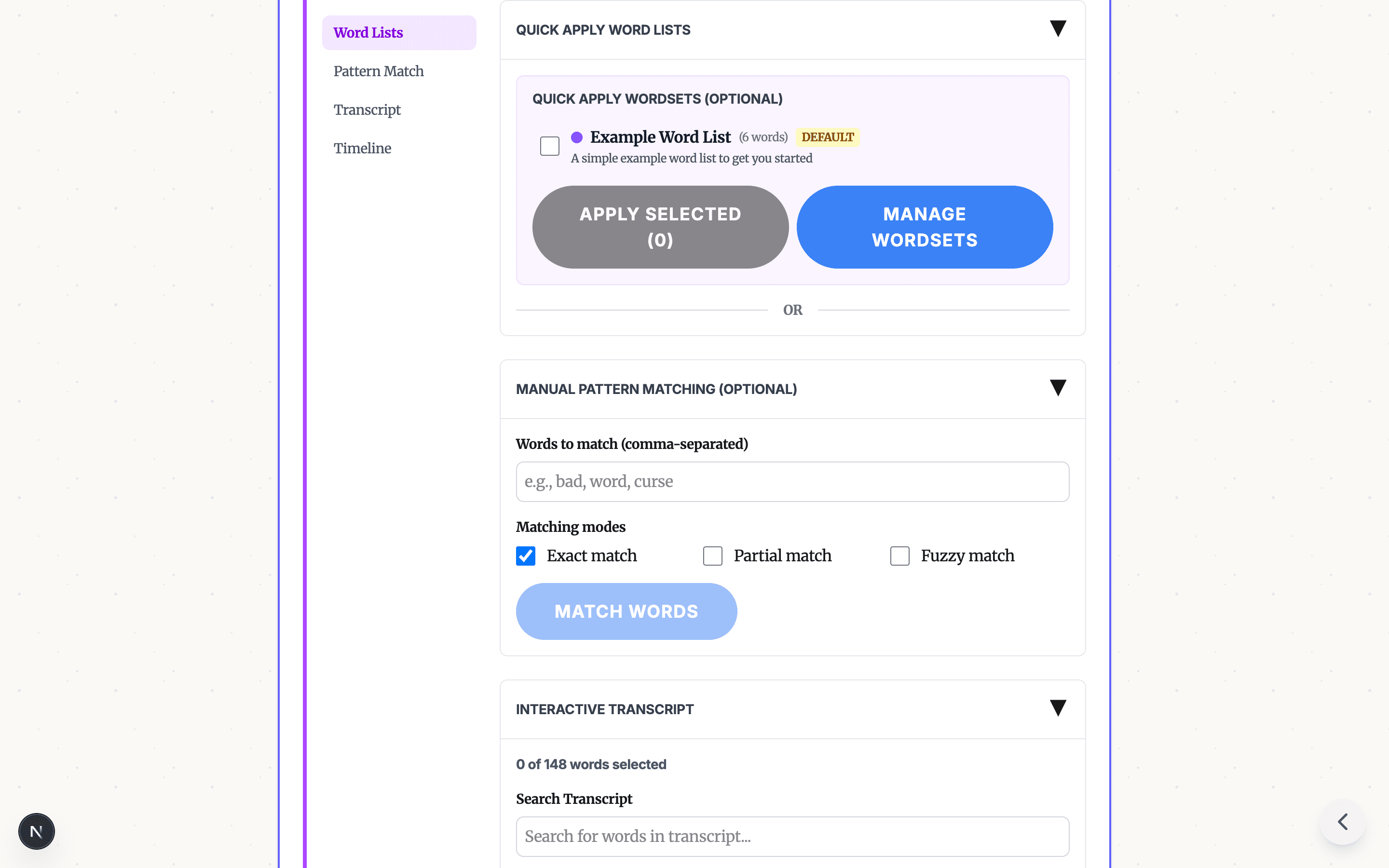
Profanity Filter List for Audio, Video, and Text
A practical profanity filter list strategy for creators: what to detect, what to review manually, and how AI tools help bleep audio or video without over-censoring.
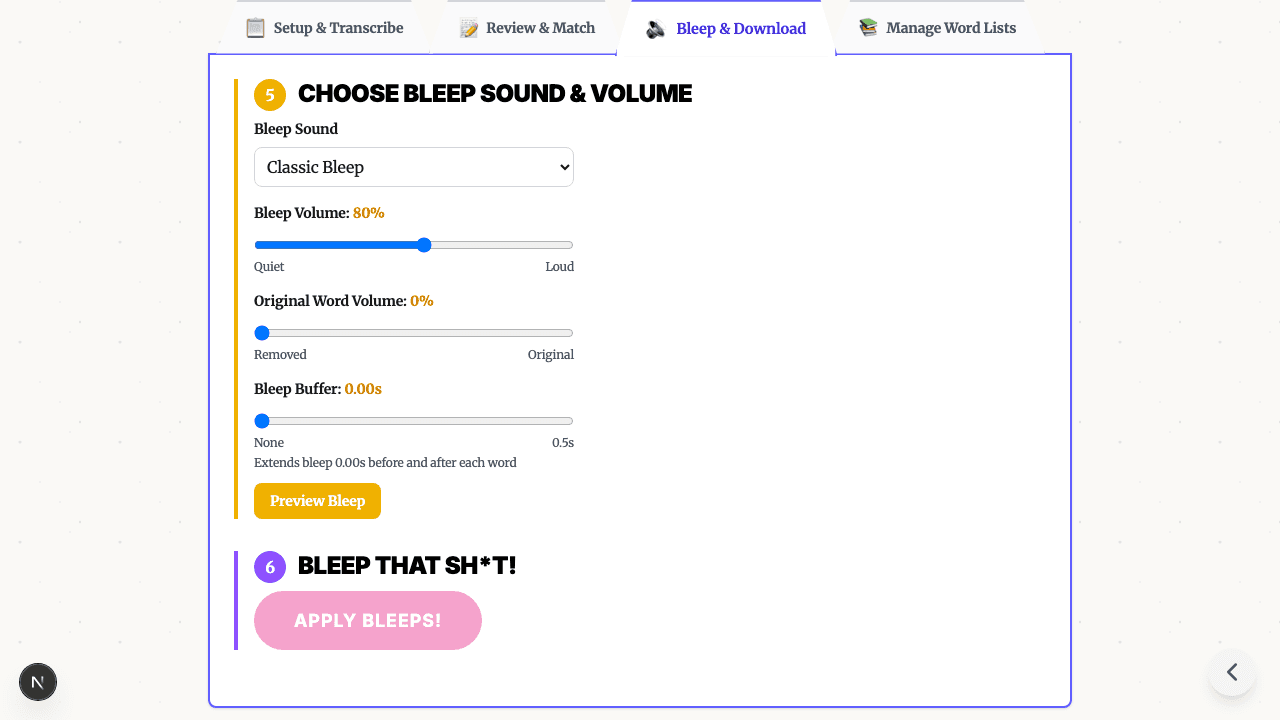
Bleep Sound Effect: How to Add a Censor Beep to Audio or Video
Choose a bleep sound effect, silence, or noise for censoring profanity in audio and video, then place it with transcript timestamps before export.