Bleep Sound Effect Guide: Meaning, Frequency, and Sound Choices
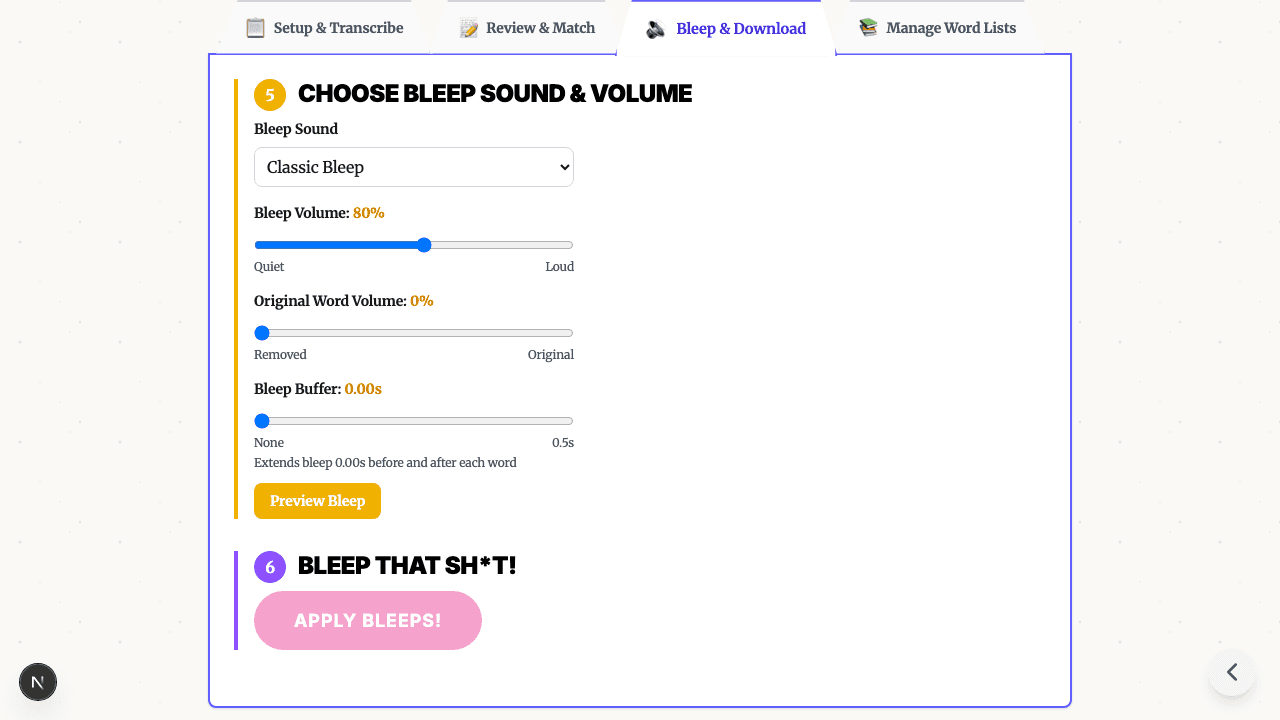
Fast answer: a bleep sound effect is an intentional audio replacement that masks a word and tells the audience a cut was deliberate. Use a classic tone when the censor mark should be obvious; choose silence or brown noise when the edit should feel softer. When you are ready to act, preview and apply a built-in bleep sound.
What Is a Bleep Sound Effect?
A bleep sound effect is an audio replacement used to cover profanity, private information, spoilers, or other words you do not want the audience to hear. The classic version is a steady tone, often around 1 kHz, because it is easy to notice and can mask speech clearly.
That tone became familiar through television and radio, but creators now use bleep sounds everywhere: YouTube videos, podcasts, classroom clips, social posts, interviews, livestream highlights, and internal training recordings.
The job of the bleep is not only to hide a word. It also tells the viewer that the gap is intentional.
Why the Classic Bleep Works
The classic censor beep works because it does three things at once:
- Masks the word - A loud, steady tone covers the consonants and vowels that make speech understandable.
- Signals intent - The audience immediately understands that the word was censored on purpose.
- Preserves timing - The sound keeps the rhythm of the sentence better than an abrupt mute in casual content.
Many classic bleeps use a tone around 1 kHz. That range is prominent to human hearing and does not sound like normal speech, which makes it useful for a short censor mark. It is not magic, though. A softer tone, silence, or filtered noise can be better when the video needs to feel polished rather than comedic.
Bleep, Silence, or Noise?
Choose the censor sound based on the tone of the project, not just habit.
| Option | Best for | Tradeoff |
|---|---|---|
| Classic bleep tone | YouTube, reaction videos, classroom cleanup, casual creator content | Clear and familiar, but can feel harsh if repeated often |
| Silence or audio duck | Interviews, professional videos, training clips, serious topics | Clean and subtle, but can feel like a glitch if the cut is too abrupt |
| Brown noise | Podcasts, long-form audio, softer edits | Less sharp than a tone, but still obvious when overused |
| Playful built-in sounds | Comedy or creator formats where the censor mark can be part of the joke | Memorable, but distracting in serious content |
| Re-recorded word | Narration, ads, sponsor reads, tutorials | Most polished, but requires access to the speaker or voiceover |
If you are preparing a video for advertisers or a brand-safe channel, use the least distracting option that fully covers the word. If you are making a fast creator video, the classic bleep is often the clearest choice.
The Sound Is Only Half the Edit
Most bad bleep edits fail because the timing is off. The censor sound starts late, ends early, clips a nearby word, or covers so much audio that the sentence becomes hard to follow.
Use this workflow before exporting:
- Generate a transcript with word-level timestamps.
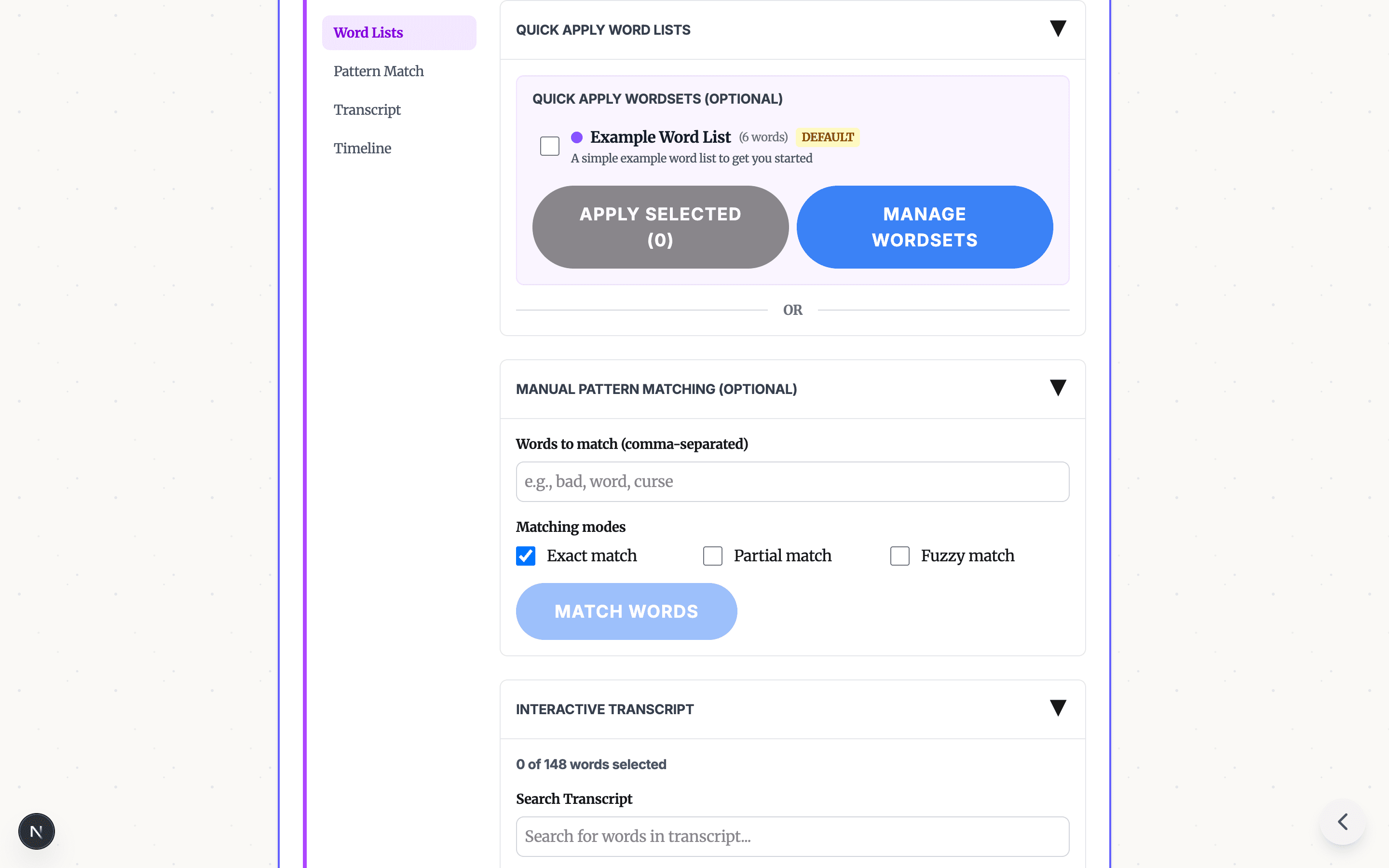
- Search for profanity, private names, phone numbers, or other terms to censor.
- Select the exact word, not the whole sentence.
- Add a small buffer before and after the word if consonants still leak through.
- Preview the edit in context, not only the isolated word.
- Lower the bleep volume if repeated tones feel painful.
- Export a clean copy and keep the original edit unchanged.
The bleep sound effect tool previews the built-in choices and leads into transcript-timed placement. For audio-only files, use Censor Audio. For finished videos where you only need the final cleanup pass, use Censor Video.
How Bleep Sounds Are Applied to Video
You can add bleeps manually in a timeline editor, but it is slow when a video has many words to censor. The usual manual workflow looks like this:
- Listen through the full video.
- Mark the start and end of each word.
- Split the audio around every match.
- Add or generate a bleep sound effect.
- Trim the effect to match each word.
- Adjust volume so the bleep covers the word without hurting the mix.
- Export and listen again for missed audio.
For one or two words, that is manageable. For a gaming clip, podcast, classroom video, or long creator upload, transcript review is easier to audit.
The focused Bleep That Sh*t! workflow is:
- Start from the bleep sound effect tool and choose the appropriate Browser or Studio path.
- Generate an AI transcript.
- Select words from the transcript or apply a reusable profanity list.
- Choose a built-in classic bleep, silence, brown noise, dolphin, or T-Rex option.
- Preview the censored version.
- Download the clean MP4.
For screenshots and a more detailed walkthrough, read How to Bleep Words in Video.
Choosing a Bleep Sound for Your Use Case
| Use case | Recommended edit | Why |
|---|---|---|
| YouTube profanity cleanup | Classic bleep or silence | Keeps the edit obvious while reducing risky language |
| Podcast profanity cleanup | Brown noise or short silence | Easier on headphones during long listening sessions |
| Classroom video | Classic bleep or silence | Students can tell something was removed without needing extra explanation |
| Corporate training | Silence, ducking, or re-recording | Keeps the edit professional and less distracting |
| Sponsor read or ad segment | Re-recording or strict silence | Brand sections should sound clean and intentional |
| Privacy redaction | Silence or noise | Focuses on removing the information, not making a joke of it |
If you are censoring for YouTube monetization, pair this with YouTube Demonetization: How to Fix Profanity Before Upload. If you are building a reusable list of words, start with Profanity Filter List for Audio, Video, and Text.
Frequently Asked Questions
What frequency is the classic bleep sound effect? Many classic censor bleeps use a pure tone around 1 kHz because it is easy to hear and can cover speech clearly. It is not the only usable frequency, and creators can also use silence, noise, or softer tones.
Is silence better than a bleep sound? Silence is cleaner for serious or professional content, while a bleep sound makes censorship obvious and keeps the rhythm of casual videos. The best choice depends on the tone of the content and the audience.
How do I add a bleep sound to my video? Upload the video, generate a transcript with timestamps, select the words to censor, choose a built-in bleep or silence option, preview the timing, and export the clean file.
Try It Yourself
Ready to use one in an edit? Preview and apply a built-in censor sound, then select the words, check the timing, and export a clean copy.
Working with audio only? Use Censor Audio. Cleaning an already finished video? Start with Censor Video.
Related guides:
- How to Bleep Words in Video - Transcript-based bleeping workflow
- Profanity Filter List for Audio, Video, and Text - Build a reusable word list
- How to Keep YouTube Videos Ad-Friendly - Pre-upload cleanup for creators
READY TO BLEEP YOUR CONTENT?
Start in Studio for cloud transcription, saved projects, reusable word lists, and repeatable clean-version exports.
START IN STUDIO FREERelated Articles
Profanity Filter List for Audio, Video, and Text
A practical profanity filter list strategy for creators: what to detect, what to review manually, and how AI tools help bleep audio or video without over-censoring.

How to Bleep Out Words in Any Video (Free, No Download)
Bleep out swear words in any video for free. No download or signup required. Upload, select words to censor, and export in seconds.
How to Censor Videos on Chromebook (Free, No Download, No Install)
Free online video censor for Chromebook — no download, no install, no IT approval. AI auto-detects swear words and bleeps them right in your browser. Works on school-managed Chromebooks too.