How to Censor Videos on Chromebook (Free, No Download, No Install)
Need to censor a video on your Chromebook? Most video editing software won't run on Chrome OS - no Premiere, no Final Cut, no iMovie. Here's a free tool that works directly in your browser. If you're a teacher, check out our classroom-specific guide for educator tips.
Why Video Editing on Chromebook Is Hard
Chromebooks can't run traditional desktop software:
- Adobe Premiere Pro - Windows/Mac only
- iMovie - Mac/iOS only
- DaVinci Resolve - Won't install on Chrome OS
- Most Android apps - Crash or work poorly
If you're on a school-managed Chromebook, you probably can't install apps at all.
The Browser-Based Solution
Our Bleep Studio workflow runs in Chrome. No installation, no app store, no IT approval needed.
Works on any Chromebook because it's just a website.

How to Bleep Words on Chromebook
1. Upload Your Video
Open Bleep Studio and upload your MP4 or MP3 file.
2. Transcribe
Click "Transcribe" and AI generates a word-by-word transcript. Use the Tiny model for faster processing on Chromebooks.
3. Select Words to Censor
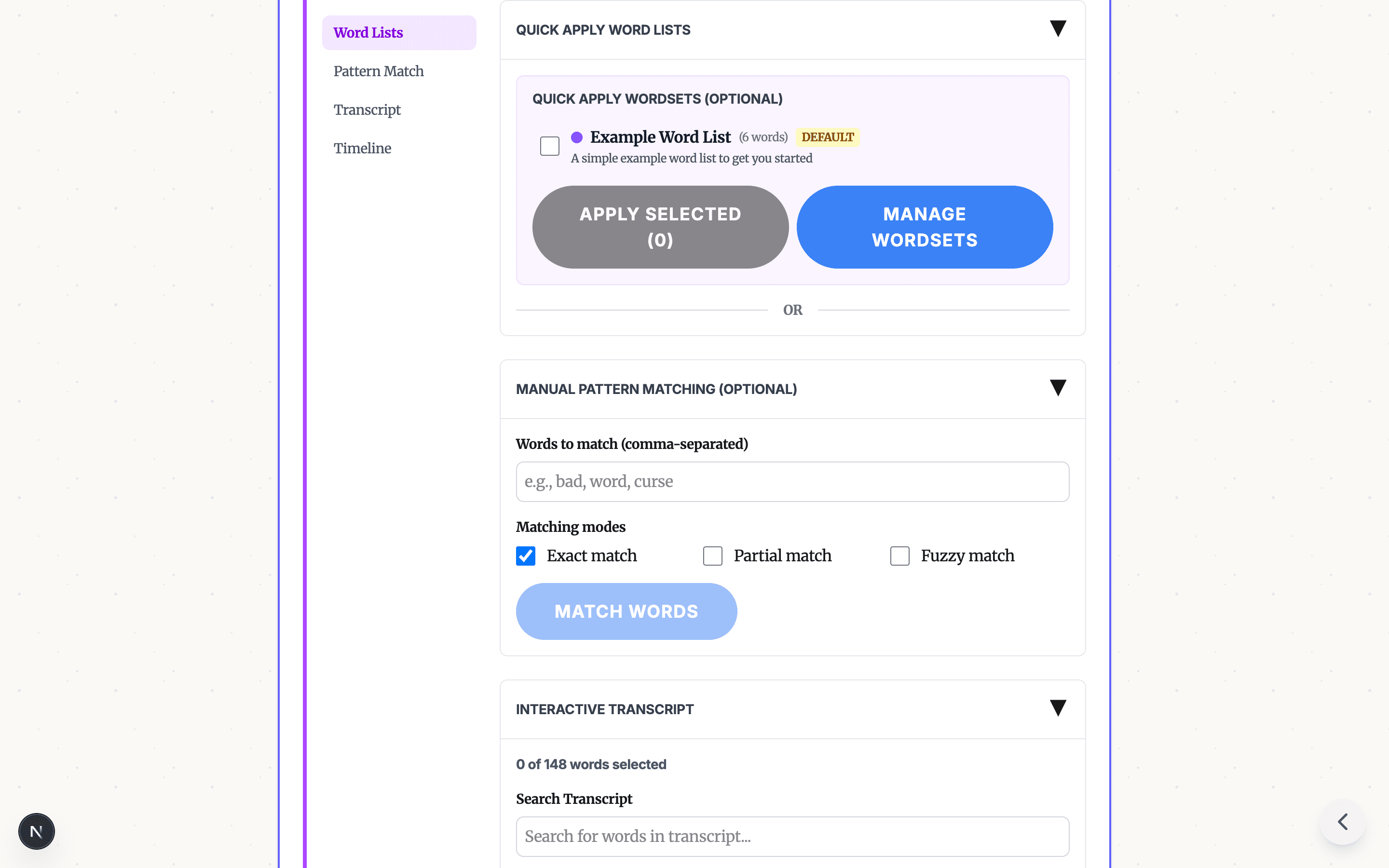
Quick way: Apply a word list to catch all common profanity instantly.

Manual way: Click any word in the transcript to toggle it.

4. Apply and Download
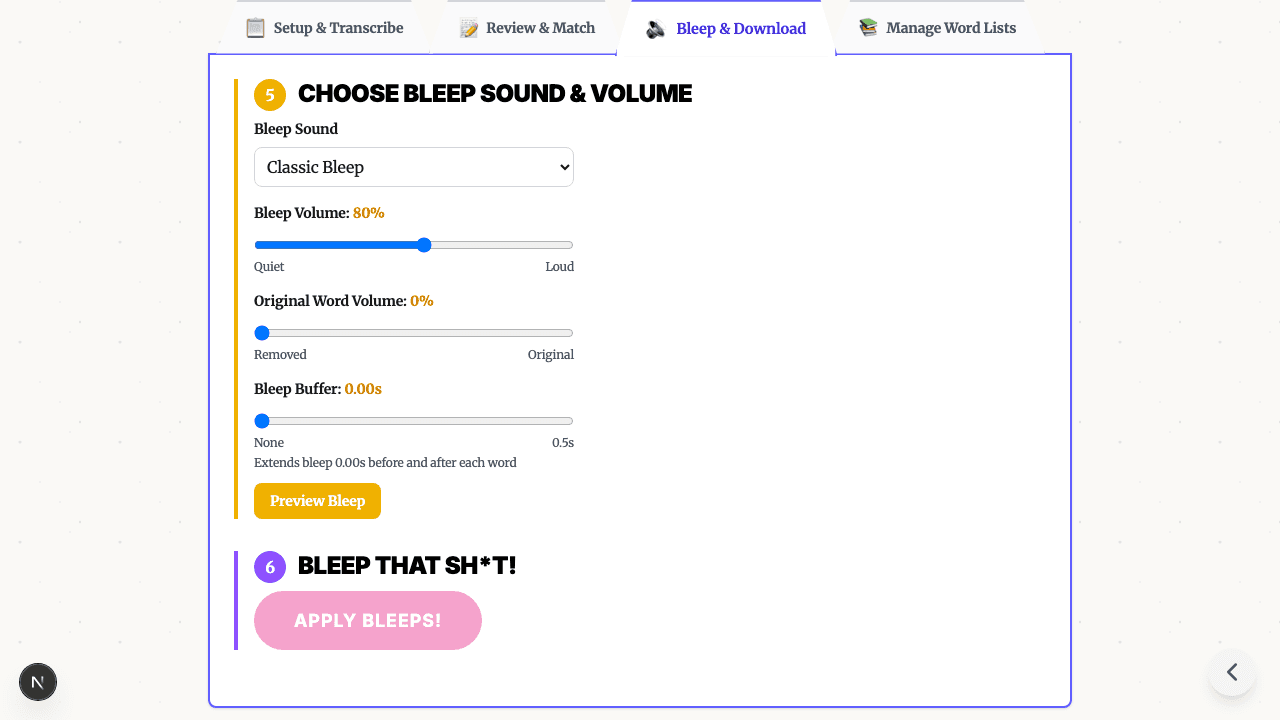
Pick a bleep sound, click "Apply Bleeps," and download your censored video.

Tips for Chromebook Users
| Chromebook Type | Recommendation |
|---|---|
| Budget/older models | Use Tiny model, keep videos under 5 min |
| Chromebook Plus | Base model works well, longer videos OK |
| School-managed | Works perfectly - it's just a website |
Try It Free
Ready to censor your video on Chromebook?
Want the full tutorial? Read our complete guide to bleeping words in video.
No download. No signup. No hassle.
Need to process longer files? Bleep Studio offers cloud-powered transcription for audio and video files up to 2 hours. See plans.
READY TO BLEEP YOUR CONTENT?
Start in Studio for cloud transcription, saved projects, reusable word lists, and repeatable clean-version exports.
START IN STUDIO FREERelated Articles
Profanity Filter List for Audio, Video, and Text
A practical profanity filter list strategy for creators: what to detect, what to review manually, and how AI tools help bleep audio or video without over-censoring.
Bleep Sound Effect: How to Add a Censor Beep to Audio or Video
Choose a bleep sound effect, silence, or noise for censoring profanity in audio and video, then place it with transcript timestamps before export.

How to Bleep Out Words in Any Video (Free, No Download)
Bleep out swear words in any video for free. No download or signup required. Upload, select words to censor, and export in seconds.