Best Video Censor Tools Compared (2026): AI, Free, and Paid Options
Fast answer: use Bleep Studio when you need a focused profanity-cleanup workflow, use Premiere/CapCut/iMovie when censoring is part of a larger edit, and use transcript-first editors when you need a broader editing suite. The best tool depends on whether you need speed, creative editing depth, browser-local processing, or team/cloud workflows.
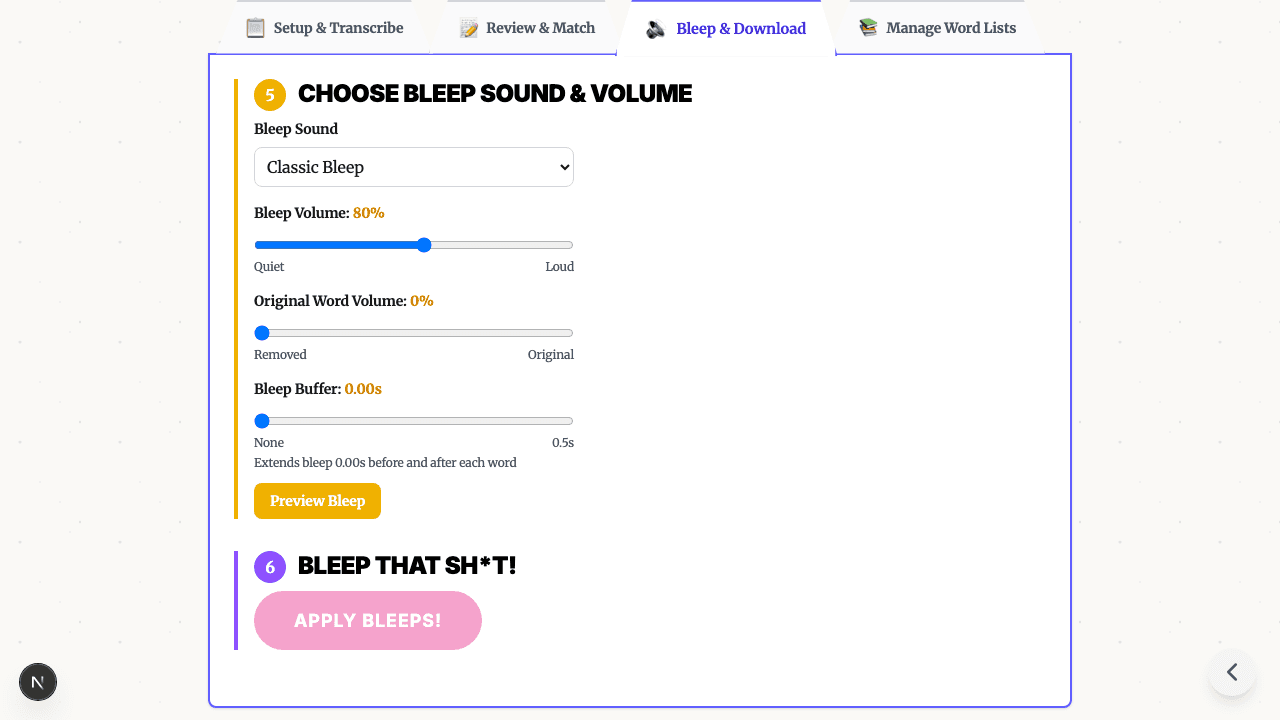
This comparison is intentionally practical. It treats every transcript and timeline workflow as something a human should review before export. For Bleep That Sh*t!, the core path is: upload a clip, generate an AI transcript, review likely matches, choose bleep or silence, preview timing, and export a clean MP4. For the upload-first product page, see Censor Video Online. For audio-only work, use Censor Audio.
Quick Comparison Table
| Feature | Bleep That Sh*t! | Adobe Premiere Pro | CapCut | iMovie | Descript |
|---|---|---|---|---|---|
| Best fit | Fast spoken-word censoring | Professional timeline editing | Social video editing | Simple Apple-device editing | Transcript-first editing suite |
| Word selection | AI transcript review + lists/manual selection | Manual timeline review | Manual timeline review | Manual timeline review | Transcript-based editing |
| Bleep/silence workflow | Built-in bleep, silence, brown noise, dolphin, T-Rex | Manual audio edits/effects | Manual audio edits/effects | Manual audio edits/effects | Product-specific transcript/audio tools |
| Privacy shape | Browser mode for short desktop clips; Studio cloud for longer files | Local desktop project | App/web workflow varies by platform | Local Apple-device project | Cloud-first service |
| Learning curve for censoring only | Low | High | Medium | Medium | Medium |
| Longer files | Studio paid tiers | Yes | Yes | Yes | Paid tiers |
Tool-By-Tool Review
1. Bleep That Sh*t!
Best for: creators, teachers, podcasters, and teams that need a focused spoken-word censoring workflow without learning a full editor.
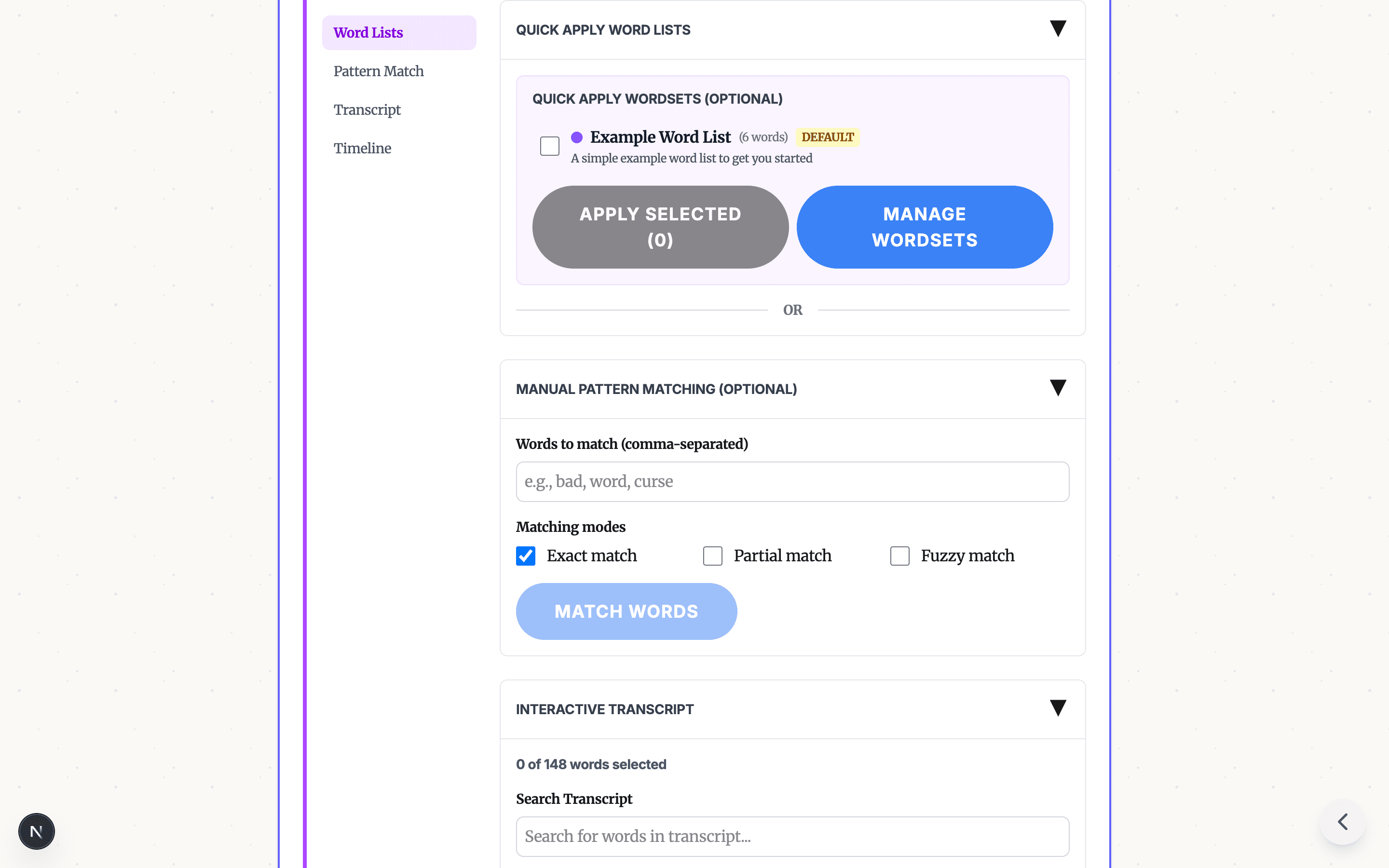
Bleep That Sh*t! is built around transcript review. It generates word-level timestamps, lets you select words through lists/search/manual clicks, then exports audio or video with selected words replaced by a built-in bleep sound or silence. The broad video feature page is Video Censor Tool; the upload-first page is Censor Video Online.
Strengths:
- Purpose-built for censoring spoken words in audio and video
- AI transcript timestamps with human review before export
- Built-in censor options: classic bleep, brown noise, dolphin chirps, T-Rex roar, and silence
- Browser mode for short desktop clips; Studio cloud processing for phones and longer files
- Free browser mode for short files, with paid tiers for longer workflows
- Good fit when you need a clean version before publishing, teaching, or client review
Limitations:
- Censors spoken audio only; it does not blur faces, pixelate video, or remove on-screen text
- Transcript quality depends on audio clarity, accents, crosstalk, and background noise
- Browser mode is best for short desktop clips; larger/mobile workflows should use Studio
- Not a full creative editor for captions, color, cuts, motion graphics, or layout
2. Adobe Premiere Pro
Best for: professional editors who already use Premiere and need censoring as part of a larger edit.
Premiere is powerful, but bleeping words is usually a manual timeline task: listen, find the word, cut or mute the audio, place a sound, preview, and repeat. That is precise, but it is more tool than most quick profanity-cleanup jobs need.
Strengths:
- Full professional editing suite
- Precise timeline and audio control
- Visual redaction effects are possible with manual editing
- Handles complex projects and long-form editing
Limitations:
- Requires timeline editing skill
- Repeated word-level censoring can be slow
- Subscription cost and desktop setup may be overkill for a simple clean version
3. CapCut
Best for: creators who already edit short-form videos in CapCut and need occasional manual censoring.
CapCut is familiar for social video work. For bleeping words, the typical path is still to find each word on the timeline, mute or split the audio, and place a bleep or silence manually. That can work well for one or two edits, but transcript review is easier when many words need review.
Strengths:
- Familiar short-form editing interface
- Useful for creative edits beyond censoring
- Available across multiple platforms
Limitations:
- Manual word-level timeline work can be tedious
- Privacy and upload behavior depend on the platform/workflow used
- Not focused solely on profanity cleanup
4. Apple iMovie
Best for: Apple-device users who need simple edits and only occasional censoring.
iMovie is approachable and free on Apple devices, but it is still a timeline editor. Bleeping words means finding the audio moment, cutting or muting around it, and adding or replacing audio manually.
Strengths:
- Free on Apple devices
- Simple interface
- Good for basic edits around a cleanup pass
Limitations:
- Apple ecosystem only
- Limited precision compared with professional editors
- Manual timeline censoring is still the core workflow
5. Descript
Best for: creators who want broader transcript-first editing, podcast editing, and collaboration in one platform.
Descript is a transcript-first editor. That makes it closer to Bleep That Sh*t! conceptually than a timeline-only editor, but it is a broader editing suite rather than a focused free bleeping workflow.
Strengths:
- Transcript-based editing model
- Useful for podcasts, screen recordings, and broader content workflows
- Collaboration and cloud workflow features
Limitations:
- More platform than needed for a quick clean export
- Cloud-first workflow
- Pricing and feature availability can vary by plan
Which Tool Should You Use?
Choose Bleep That Sh*t! if you need to censor spoken words quickly, review transcript timestamps, choose bleep or silence, and export a clean copy.
Choose Premiere Pro if censoring is one small part of a professional video edit you are already doing there.
Choose CapCut if you are already editing a short-form video in CapCut and only need a few manual censor marks.
Choose iMovie if you are on Apple devices and need simple timeline edits with occasional manual audio cleanup.
Choose Descript if you want a broader transcript-first editing suite for podcasts or video production.
The Bottom Line
If the job is "make this video clean enough to publish," a focused transcript-review workflow is usually more direct than a full editor. If the job is "finish a complete creative edit," a timeline editor may be the better home base.
Ready to try the focused path? Start in Bleep Studio, review the transcript, select words, and export. For a full feature overview, see Video Censor Tool. For upload-first wording and FAQs, use Censor Video Online.
More resources:
- Free Online Video Censor Tool - broad feature overview
- Censor Video Online - upload-focused landing page
- Free Online Audio Censor Tool - for podcasts and audio files
- How to Bleep Words in Video: Complete Guide
- How to Bleep Without CapCut, iMovie, or Premiere
READY TO BLEEP YOUR CONTENT?
Start in Studio for cloud transcription, saved projects, reusable word lists, and repeatable clean-version exports.
START IN STUDIO FREERelated Articles

YouTube Demonetization: How to Fix Profanity Before Upload
A practical guide to reducing YouTube demonetization risk from profanity: review the opening, titles and thumbnails, bleep risky words, export a clean version, and keep your original edit intact.
Profanity Filter List for Audio, Video, and Text
A practical profanity filter list strategy for creators: what to detect, what to review manually, and how AI tools help bleep audio or video without over-censoring.
Bleep Sound Effect: How to Add a Censor Beep to Audio or Video
Choose a bleep sound effect, silence, or noise for censoring profanity in audio and video, then place it with transcript timestamps before export.